Maintenance Guide
caution
This page is currently under construction. Please check back later for complete maintenance documentation.
Interfacer Module Reset
Use this procedure if the interfacer module is unresponsive or not communicating with the station.
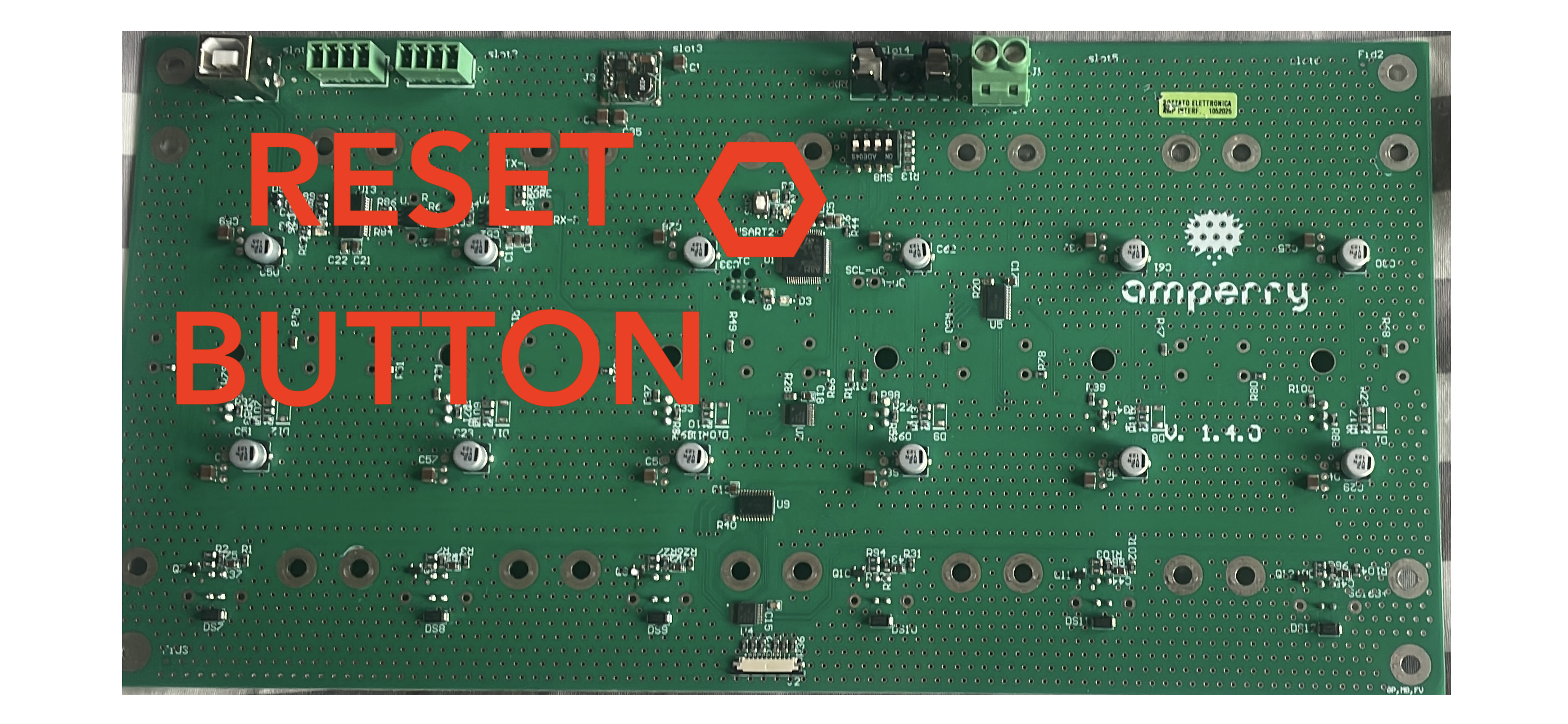
- Open the service door and locate the interfacer board.
- Identify the
RESETpush button (the small button highlighted in the reference image). - Press and release the
RESETbutton once. - Wait 10-15 seconds for the module to reboot.
- Verify that the station is online and communication is restored.
tip
Do not hold the RESET button continuously. A short press is sufficient for a standard module reset.
We are working on providing comprehensive maintenance guidelines that will include:
- Routine maintenance schedules
- Preventive maintenance procedures
- Troubleshooting guides
- Component replacement instructions
- System optimization recommendations
In the meantime, please refer to the product manual or contact our technical support team for any maintenance-related inquiries.